
Dual N-Back — Memory & Attention Trainer
Thank you for installing
Dual N-Back!
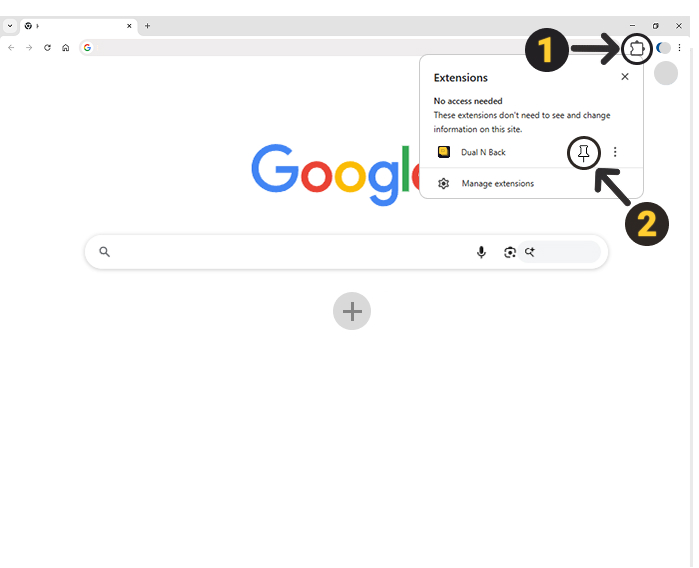
To get started, click the Extensions icon (Step 1) in the top right corner of Chrome, then click the pin icon (Step 2) next to 'Dual N-Back' to pin it to your toolbar:
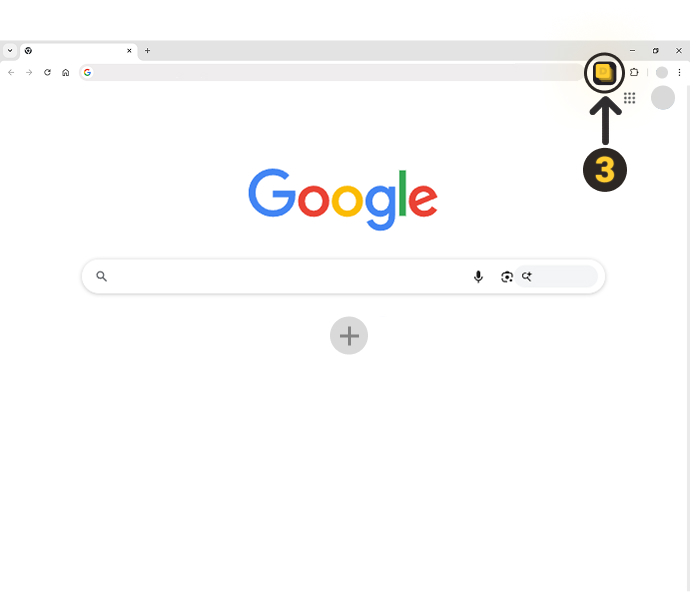
Click the Dual N-Back icon (Step 3) in your toolbar whenever you want to start training:
No account needed. All data stays on your device.